

Watch UK TV Abroad and Avoid a £1,000 TV Licence Fine
To watch UK TV abroad reliably, use a VPN connected to a UK server, a pre-configured VPN router, or an IPTV subscription with built-in UK routing such as Televoitv. Short trips suit iPlayer downloads made before you leave. Whatever method you choose, keep your UK TV Licence current for any live viewing or BBC iPlayer use, since the two issues (access and legality) are separate and both matter. best iptv uk
TL;DR:
- A residential IP or a dedicated UK VPN router reduces the chances of blocking by appearing as a normal home broadband connection.
- VPN server reputation matters, and switching between multiple UK servers can help avoid blacklisted IPs during streaming.
- For reliable, long-term abroad viewing, a router-based VPN or IPTV with built-in VPN protection offers more stability than app-based solutions.
- Downloading content before leaving the UK is practical for short trips but does not support live or ongoing access once abroad.
- A valid UK TV Licence remains legally required for live viewing or BBC iPlayer use, regardless of the technical method used to access UK content.
Table of Contents
- How geo-blocking works and why a VPN, router or residential IP solves it
- Step-by-step: using a VPN to watch BBC iPlayer, ITVX and other UK services
- Device-specific setups: Fire TV Stick, smart TV, games console and routers
- Download and offline options: using iPlayer downloads and their limits
- Legal essentials for UK viewers abroad: TV Licence and what it covers
- Troubleshooting: why services still say “outside the UK” and how to fix it
- Alternative: IPTV with built-in VPN for UK viewers abroad
- Author perspective: the one-line approach most travellers should take
- How TelevoiTV.uk can help you watch UK TV without the hassle
- FAQ
- Sources
How geo-blocking works and why a VPN, router or residential IP solves it
Every time you open BBC iPlayer, ITVX or another UK streaming app, the service checks your IP address before it lets you watch anything. That IP address reveals roughly where you are in the world, and streaming platforms use it to enforce territorial rights agreements that typically only cover UK viewing. If your IP resolves to France, Spain or anywhere outside the UK, the service blocks playback regardless of whether you hold a valid account or TV Licence, as BBC iPlayer’s own help pages confirm.
A VPN works around this by routing your internet traffic through a server based in the UK, so the streaming service sees a UK IP address instead of your real location. In principle, this is simple, but not all VPN connections behave the same way once you’re actually trying to stream.
- Data-centre VPN IPs get blocked often: streaming platforms maintain lists of known VPN server ranges and block them proactively.
- Residential IPs are harder to detect: because they resemble ordinary home broadband connections, platforms are less likely to flag them, according to MoneySavingExpert’s reporting on TV licence and streaming.
- Router-level VPN connections cover every device on your network: useful for smart TVs, consoles and other hardware that cannot run a VPN app directly.
This explains why two people using “a VPN” can have completely different experiences. Someone on a cheap, overused data-centre server might get blocked within minutes, while someone using a residential IP or a dedicated UK router connection streams without interruption. For anyone planning to watch regularly from abroad rather than just once on a short holiday, the type of IP behind your VPN matters more than the app’s interface or price. A pre-configured VPN router, which connects your entire home network to a UK server before any device even opens an app, sidesteps the device-compatibility problem entirely and avoids the app-level blocks that trip up data-centre connections.
Step-by-step: using a VPN to watch BBC iPlayer, ITVX and other UK services
Getting a VPN to work smoothly with UK streaming takes a few careful steps rather than just switching it on. Here’s a workflow that covers most situations.
- Sign up for a reputable VPN service and install its app on the device you plan to stream from, whether that’s a phone, laptop or tablet.
- Connect to a UK server before opening any streaming app or website, never after, since some services check your location the moment the page loads.
- Clear your browser cookies or open a private/incognito window so the site doesn’t rely on a cached session that remembers your previous (non-UK) location.
- Sign in to your streaming account and attempt playback, checking that the content starts within a few seconds rather than buffering indefinitely.
- Switch to a different UK server location if playback fails, since individual server IPs can get blacklisted while others in the same VPN’s network remain clean.
- Restart the app or device if the stream stalls partway through, as some platforms re-check your location periodically during longer programmes.
If you’re still stuck after trying a few servers, check your account’s registered postcode or address settings, since some UK services use this alongside IP detection and a mismatch can trigger extra verification steps.
Pro Tip: Keep a shortlist of two or three UK server locations within your VPN app, since rotating between them is usually faster than troubleshooting a single blocked connection.
Live sport and major broadcasts put more strain on this setup than catch-up viewing does, because a sudden spike in VPN users connecting to the same UK server (everyone trying to watch the same match) can slow things down or trigger additional blocking checks from the streaming platform. If you know a big fixture is coming up, test your connection the day before rather than minutes beforehand. For anyone who travels frequently and finds this process tedious to repeat every time, an IPTV subscription with VPN protection built in removes the server-selection step entirely, which we cover further down.
Device-specific setups: Fire TV Stick, smart TV, games console and routers
Not every device makes VPN use straightforward. A phone or laptop can run a VPN app in seconds, but a smart TV, games console or older Fire TV Stick often can’t install one at all.
- Fire TV Stick: many models support VPN apps directly through the Amazon Appstore, so install one and connect to a UK server before opening iPlayer or ITVX.
- Smart TVs without VPN app support: route your entire home network through a VPN at the router level, which covers the TV automatically without needing an app on the device itself.
- Games consoles: these rarely support VPN apps natively, so router-level VPN coverage or a pre-configured travel router is usually the only practical option.
- Casting or HDMI from a laptop: a reliable fallback when a device simply won’t cooperate with any VPN method, since you can run the VPN on your laptop and cast or connect by cable to the TV.
A pre-configured VPN router, set up once with a UK connection and then used wherever you travel, solves most of these problems in one go. It’s particularly useful for longer stays abroad, since it means every device on your network (phone, laptop, smart TV, console) gets a UK IP automatically rather than needing individual setup. MoneySavingExpert’s guidance on TV licence and streaming points to router-level or home-network VPN routing as the most reliable approach for devices that can’t run VPN apps on their own, precisely because it avoids app-specific blocks.
For readers who find router configuration daunting or who move between short-term accommodation often, Smart DNS services or residential-IP transport layers offer a lighter alternative, since they redirect only the location-checking part of your traffic rather than your whole connection. They tend to be faster than a full VPN because less data is being rerouted, though they don’t encrypt your traffic the way a VPN does, so they suit convenience over privacy. If you’re setting up a dedicated streaming box rather than relying on apps alone, our TiviMate setup guide for UK viewers walks through configuring popular IPTV apps on set-top boxes, which can simplify multi-device households considerably.
Download and offline options: using iPlayer downloads and their limits
For short trips, downloading programmes before you leave the UK is often simpler than managing a VPN connection throughout your holiday. BBC iPlayer’s help pages confirm that downloads must be made while you’re still in the UK, since the app checks your location at the point of download rather than playback.
- Download while connected in the UK: once abroad, you can watch what you’ve already saved, but you cannot download anything new.
- Downloads expire: content is removed after a set period, the same as it would be if you were watching online, so plan your viewing around that window.
- Downloads are device-bound: a programme saved to your phone won’t transfer to a tablet or laptop without downloading it again, which isn’t possible once you’ve left the UK.
This approach suits short trips of a few days to a couple of weeks, particularly when you already know which programmes you want to watch, such as a specific drama series or a documentary. It’s far less practical for anyone wanting ongoing access to live television, rolling news or sport, where downloads simply aren’t available as an option. For longer stays or anyone wanting live viewing rather than catch-up, a VPN or an IPTV subscription with built-in VPN protection covers far more ground than pre-downloaded content ever could.
Legal essentials for UK viewers abroad: TV Licence and what it covers
Getting access working technically is only half the picture. You need a valid TV Licence to watch or stream live television on any channel and to use BBC iPlayer at all, whether you’re at home or catching up from abroad. As of April 2026, the standard colour TV Licence fee is £180.00, and watching without one can lead to a fine of up to £1,000.
A TV Licence is legally required to watch or stream live television on any channel and to watch BBC iPlayer, whether in the UK or abroad, if your licence is tied to your UK home address.
The Communications (Television Licensing) (Amendment) Regulations 2026 confirm that the licensing framework and its territorial application cover the UK, the Channel Islands and the Isle of Man. If you’re temporarily abroad but your licence is registered to your UK home address, it continues to apply, since the rule centres on where your receiving equipment is typically located, not on your physical presence at any given moment.
Where this gets more complicated is if you move your main residence abroad permanently, in which case your UK licence no longer applies and you’d need to check the broadcasting rules of your new country instead. If anything about your situation changes, whether that’s a change of address, a house move or ending your need for a licence altogether, it’s worth checking your account details directly with TV Licensing rather than assuming your existing cover still applies. Keeping the licence active and your details accurate avoids any ambiguity if your viewing habits or circumstances shift partway through the year.
Troubleshooting: why services still say “outside the UK” and how to fix it
A surprising number of playback failures have nothing to do with your VPN provider and everything to do with small technical details that are easy to overlook.
Common causes include cached cookies that remember your previous session location, DNS leaks that reveal your real location despite an active VPN, IPv6 routing that bypasses your VPN’s IPv4 tunnel entirely, and corporate, university or hotel networks that run their own proxies or captive portals ahead of your connection. MoneySavingExpert’s advice on troubleshooting geo-blocking specifically flags IPv6 leaks as a frequent, overlooked cause, since many VPNs only route IPv4 traffic properly and leave IPv6 exposed.
- Confirm your VPN is actually connected and showing a UK server, not just running in the background.
- Clear cookies for the streaming site or switch to a private browsing window to rule out a cached non-UK session.
- Test an alternate UK server within the same VPN app, since individual IPs can get blacklisted while others stay clean.
- Check for an IPv6 leak using a UK IP checking site before opening the streaming app, and disable IPv6 on your device if your VPN doesn’t handle it properly.
- Try a different device on the same network to isolate whether the problem is the VPN connection itself or something specific to that app or browser.
Pro Tip: Run a quick UK IP address check in your browser before opening any streaming app. If it doesn’t show a UK location, nothing else is worth troubleshooting until that’s fixed.
If none of this resolves the issue, gather basic details before contacting support: which VPN server you connected to, the exact error message shown, your device and app version, and roughly when the problem started. Both VPN providers and streaming platforms can diagnose problems far faster with this information than with a vague “it’s not working” report.
Alternative: IPTV with built-in VPN for UK viewers abroad
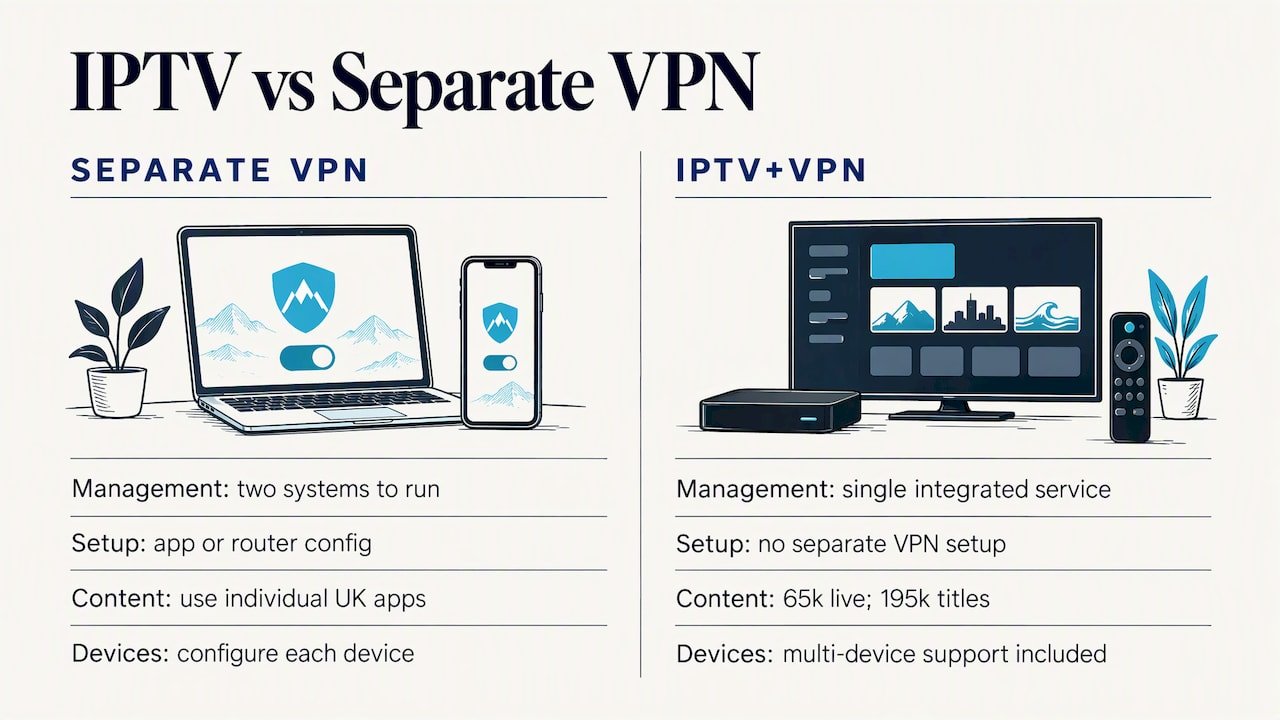
Running a standalone VPN alongside separate UK streaming accounts works, but it means managing two things at once: the VPN connection itself, and each individual app’s quirks and occasional blocks. An IPTV subscription with VPN protection built directly into the service removes that split, since the routing and the content sit inside one package rather than being stitched together by the user.
We built Televoitv around that idea. Our service gives subscribers access to over 65,000 live channels and more than 195,000 movies and series in 4K HD, with VPN protection built into the platform rather than requiring a separate app or router setup. Our international channel line-up covers a wide spread of content suited to households with varied viewing habits, from kids’ programming to sport and news.
This kind of setup tends to suit readers who’d rather not manage VPN servers, app compatibility and troubleshooting themselves, particularly across multiple devices in one household. It’s worth checking device compatibility and the specific terms of any IPTV service before subscribing, as with any streaming product. One point worth repeating here: using an IPTV service with built-in VPN protection does not replace your UK TV Licence obligations. If your viewing includes live television or BBC content, the licence requirement set out earlier in this guide still applies regardless of which technical route you use to access it. For anyone wanting guidance on comparing IPTV providers more broadly before committing, our guide to choosing an IPTV subscription safely covers what to look for beyond channel count alone.
Author perspective: the one-line approach most travellers should take
For a short holiday of a week or two, don’t overthink this: download what you want to watch from iPlayer before you leave, or use a straightforward VPN app if you need live viewing too. For longer stays, whether that’s a few months working abroad or a permanent relocation with family still watching UK content, a router-level VPN or an IPTV subscription with built-in VPN protection saves you from repeating the same troubleshooting every evening.
Live sport is the exception that catches people out. A setup that handles a Sunday night drama perfectly well can buckle under the load of a major match with everyone connecting to the same UK servers at once, so test your connection the day before anything you genuinely don’t want to miss. There’s a real trade-off between cost, reliability and ease here, and no single setup wins on all three at once.
— AYOUB
How TelevoiTV.uk can help you watch UK TV without the hassle
If everything above sounds like more juggling than you want to deal with every time you sit down to watch something, that’s exactly the gap we built Televoitv to close. Rather than running a separate VPN app, picking servers and troubleshooting blocks on your own, our subscription bundles UK channel access with VPN protection already built in, so you connect once and watch.
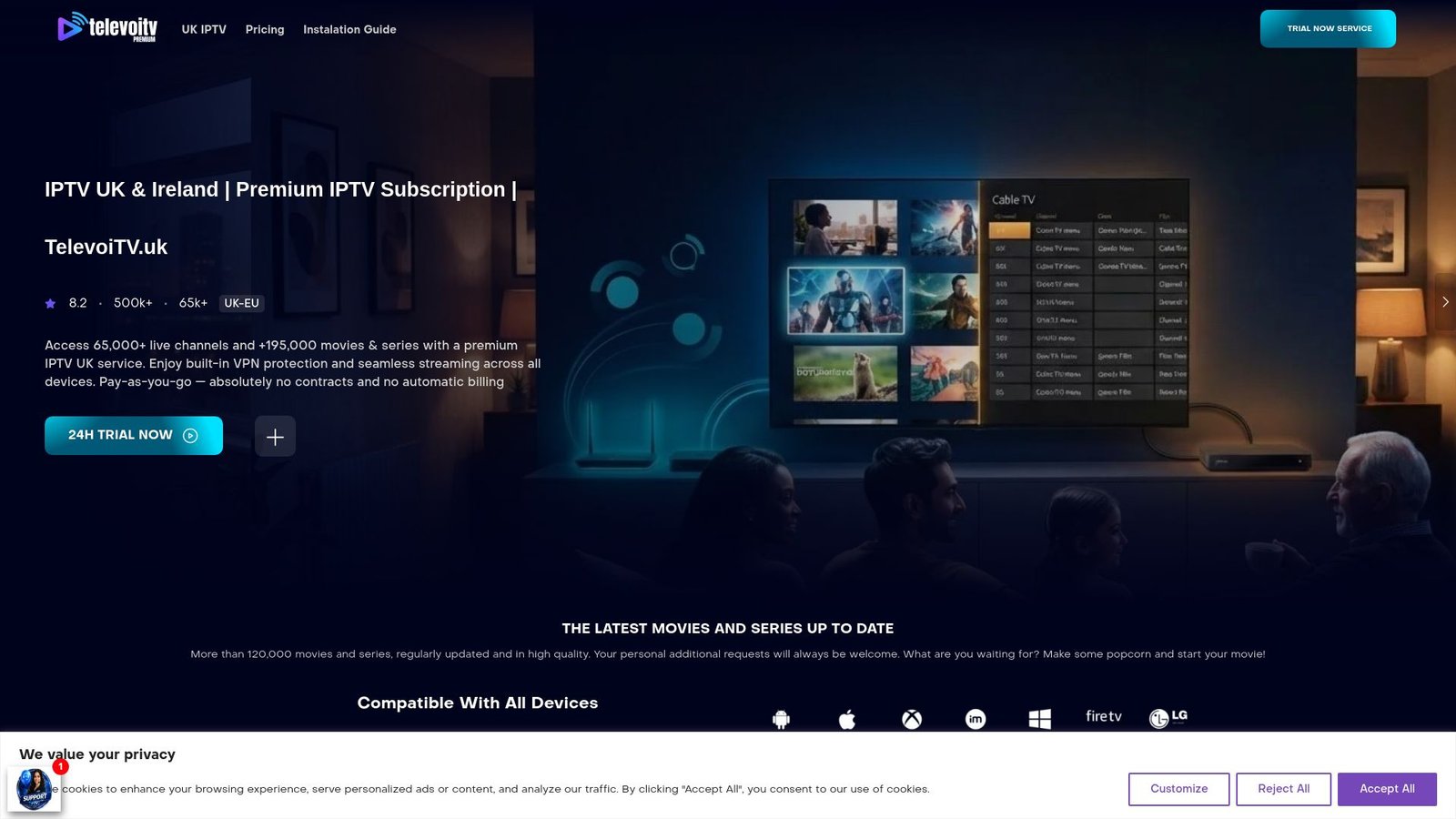
- Over 65,000 live channels and 195,000+ movies and series in 4K HD, covering sport, news, kids’ programming and entertainment.
- Built-in VPN protection, so there’s no separate app or router configuration needed on your end.
- Anti-freeze technology and a 99.9% uptime target, aimed at keeping playback stable during busy evenings and live events.
- No contracts or automatic billing, plus a 7-day refund policy if the service isn’t right for you.
Our plans run across 1-month, 3-month, 6-month and 12-month subscriptions, priced at £12.99 per month, £24.99 per month, £35.99 per month and £59.99 per month respectively, so you can match the length to how long you’re away. If you’re unsure, start with the shortest plan and use the 7-day refund window to see whether it fits your viewing habits before committing to anything longer.
FAQ
How can I watch UK television while I’m abroad?
Use a VPN connected to a UK server, a pre-configured UK VPN router, or an IPTV subscription with built-in VPN routing. Keep your UK TV Licence current for any live television or BBC iPlayer viewing, since this is a legal requirement separate from the technical setup.
Can I use a VPN to watch British TV?
Yes, a VPN connected to a UK server lets most British streaming services see a UK IP address and unblock playback. Ofcom’s guidance confirms that using a VPN itself is not illegal, though individual streaming services may still try to detect and block known VPN IP ranges.
How do I watch ITVX abroad for free?
There is no official free method to watch ITVX reliably from abroad, since the service geo-blocks non-UK IP addresses and free VPN servers are typically among the first to be blacklisted. A reliable UK VPN connection or a service with built-in UK routing is a more consistent option than relying on free tools.
Is there a free VPN that can watch BBC iPlayer?
Free VPNs rarely work consistently with BBC iPlayer, since their limited server pools are quickly identified and blocked compared with paid services offering larger UK server networks. A valid TV Licence is required to use iPlayer regardless of which VPN, free or paid, you connect through.
Does the subscription include VPN protection for UK channels?
Some IPTV subscriptions include built-in VPN protection alongside access to live channels, eliminating the need for a separate VPN app. Viewing live UK television or BBC content through any service still requires a valid UK TV Licence.
Sources
- Cost of TV licence fee set for 2026/27
- Can I use BBC iPlayer when I’m outside of the UK? | iPlayer help
- Protecting people in the UK from illegal online content — Ofcom
- The Communications (Television Licensing) (Amendment) Regulations 2026