IPTV for Fire TV Stick That Fits Your Home
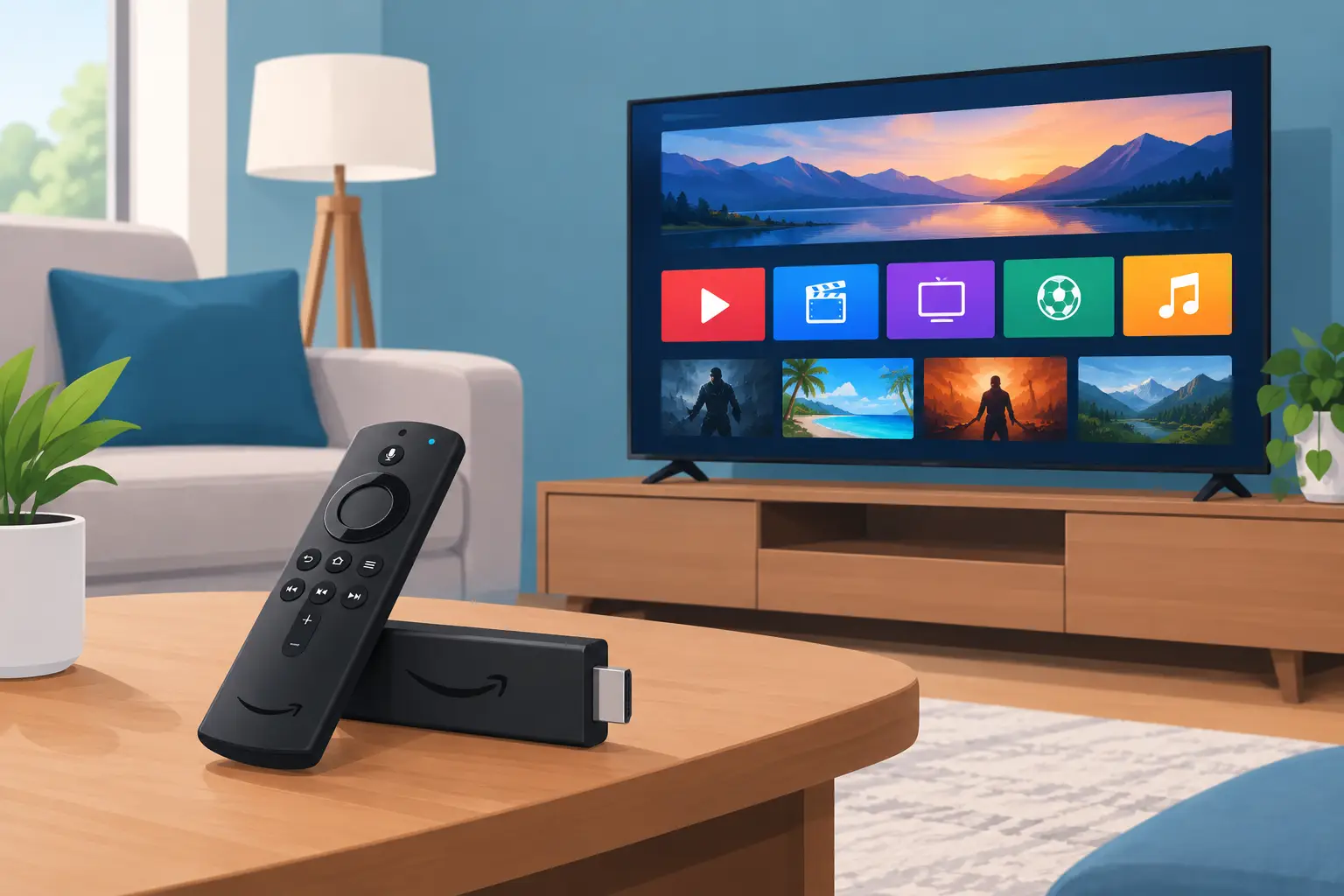
A Fire TV Stick can turn the spare HDMI port on your television into the centre of your home entertainment. With IPTV for Fire TV Stick, live channels, sport, films, box sets, news and children’s programmes can sit in one easy-to-use streaming setup instead of being spread across costly TV packages and separate apps.
For UK and Ireland households, the appeal is straightforward: watch the content you actually want, on the screen you already own, without being tied into a long contract. The right subscription and app can make channel browsing feel familiar, while adding far more international choice and on-demand viewing.
Why IPTV for Fire TV Stick makes sense
The Fire TV Stick is popular because it is compact, affordable and simple to use with an Alexa Voice Remote. Plug it into an HDMI port, connect it to Wi-Fi and your television gains access to streaming apps without needing a new Smart TV. That makes it a practical choice for the living room, bedroom, kitchen television or holiday home.
IPTV uses your internet connection rather than a satellite dish or aerial to deliver television. A good service brings live TV and video on demand into one subscription, often with an electronic programme guide so you can see what is on now and what is coming up next. For viewers who follow Premier League football, boxing, rugby, international news, Asian entertainment, European channels or children’s content, that range can be a major reason to switch.
It also suits households with mixed tastes. One person may want live sport, another may prefer a newly added series, and children may want their favourite programmes on demand. Rather than paying for several fragmented entertainment services, IPTV can offer a broader all-in-one option.
That said, your experience depends on three things: the quality of your provider, the app you use and the strength of your home internet. The Fire TV Stick itself is capable, but no streaming device can correct a weak Wi-Fi signal or an overloaded, unreliable stream source.
Choosing the right Fire TV Stick
Not every household needs the most powerful model, but choosing carefully helps. A standard Fire TV Stick works well for HD viewing and everyday use. If you have a 4K television and want to watch compatible 4K channels or films, a Fire TV Stick 4K model is the better match. The Fire TV Stick 4K Max is worth considering for busy homes, especially where apps, large libraries and Wi-Fi 6 support matter.
Your television does not need to be 4K for IPTV to work. HD streams can still look sharp on a standard set. Equally, a 4K stick will not automatically make every channel 4K – picture quality always depends on the source stream and your internet speed.
For reliable HD streaming, aim for a stable connection rather than focusing only on headline broadband speed. A wired Ethernet adaptor can help if your router is far from the TV or if the room has Wi-Fi dead spots. If wireless is your only option, use the 5 GHz band where possible and avoid placing the Fire Stick behind a thick television or inside a closed cabinet.
Set up your IPTV app properly
Once your Fire TV Stick is connected and updated, install an IPTV player that supports your subscription details. TiviMate and IPTV Smarters Pro are familiar choices for many users because they provide organised live TV sections, favourites, catch-up options where available and electronic programme guide support.
The player is not the same as the subscription. Think of it as the screen and controls, while your provider supplies the channel list, login details and content access. Depending on the service, you may receive an M3U playlist, portal address or username and password. Enter these details carefully, as a single typing error can stop the playlist from loading.
After signing in, give the app a few minutes to import channels, films, series and programme guide data. It is worth taking a little time to organise the layout. Add frequently watched channels to favourites, hide categories you will never use and set the guide to your local time zone. These small adjustments make a huge difference to day-to-day viewing.
If an app is unavailable in the Amazon Appstore, only install software from a source you trust and follow the app developer’s instructions. Keep your Fire TV software and installed apps updated for the best security and performance.
What a good IPTV subscription should include
Big channel numbers look impressive, but the viewing experience matters more than a figure on a sales page. Look for a service that clearly explains its plan length, number of supported devices, setup process and support options. If you need access on two televisions at the same time, check whether a second connection requires another subscription.
A useful IPTV package should give you a balanced mix of live channels and on-demand entertainment, with UK, Irish, US, European and worldwide categories where relevant. Sports fans will want dependable coverage at busy times. Families should check for children’s programming and easy category filtering. Multilingual viewers should look beyond English-language channels and make sure their preferred regions are represented.
Picture quality is another practical consideration. HD is enough for many viewers, while FHD and 4K can look excellent on larger televisions. However, higher quality needs more bandwidth. If several people are gaming, video calling or streaming at the same time, 4K may buffer where HD remains stable.
A trial can be the smartest way to test a provider with your own television and broadband. Test it when you would normally watch, particularly during a live match or evening peak time. Check startup speed, programme guide accuracy, channel changes, video-on-demand navigation and how quickly support responds if you need help.
TelevoiTV is built for viewers who want this kind of high-volume choice in one package, with advertised live channels, films, series, programme guide access, fast activation and plans designed for one-device viewing. A short trial lets you see whether the channel mix and app performance suit your household before choosing a longer term.
Get a smoother picture with a few simple checks
Buffering is frustrating, but it is not always a provider issue. Start by restarting your Fire TV Stick and router. Then check whether other devices are using most of the connection. Large downloads, cloud backups and multiple 4K streams can all affect playback.
Use this quick checklist if a stream is struggling:
- Move the router closer, or use a compatible Ethernet adaptor for a steadier connection.
- Choose 5 GHz Wi-Fi if the Fire TV Stick and router support it.
- Clear the IPTV app cache through Fire TV settings if the app is slow or unresponsive.
- Try a different channel of the same event to identify whether the issue is local or source-specific.
- Reduce the stream quality when your connection is under pressure.
VPN protection may be useful where it is lawful and appropriate, particularly for privacy on shared networks. It can also affect speed, though, so test your setup both with and without it. The best result is the one that gives you stable playback, not simply the most settings switched on.
Make it easy for everyone in the house
A good setup should not require technical knowledge every time someone wants to watch television. Put the main live channels into favourites, create clear categories and show each person how to return to the guide. If the app allows profiles or parental controls, use them for children’s viewing.
Keep the Fire TV Stick powered from a reliable source rather than repeatedly unplugging it, and leave enough storage space for app updates. If your device is older and menus feel slow, removing unused apps can improve responsiveness. A newer 4K model may also be a worthwhile upgrade if your household streams heavily.
Before paying for any service, make sure it is authorised to provide the content you intend to watch in your location. Clear terms, transparent support and a sensible trial process are better signs than unrealistic promises.
Set aside ten minutes to test your IPTV app, sort your favourites and check your Wi-Fi in the room where you watch most. Once those basics are right, your Fire TV Stick becomes a far more useful television hub for every night of the week.